









295.057
718
295.057
718
========================
Grand Theft Space [.NET]
========================
💬 https://discord.gg/G4QDVJd
🌐 grandtheftspace.com
📹 How to install GTS
Currently does not work on the latest version of GTA V.
Latest Update
The reason we just updated was to provide a redirect link to the Grand Theft Space website so that you can download the mod from there. This is still 1.0 and 1.1 is being worked on as we speak. Thank you for your support so far, we're really glad you enjoyed the mod.
Description
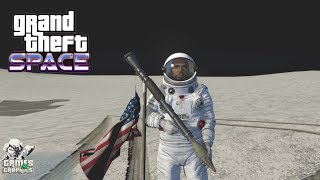
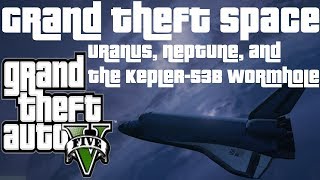
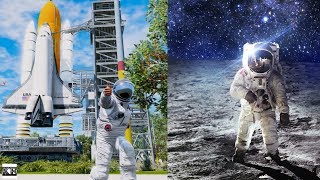
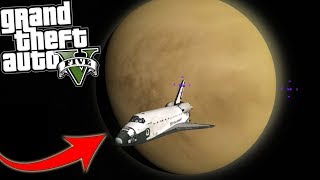
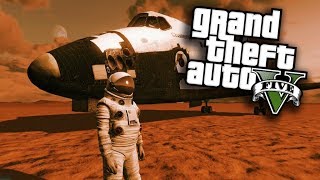
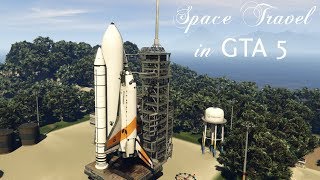
This is a GTA 5 expansion that allows you to traverse outside of the world of GTA,
into the solar system and beyond! This mod was not made to be a mission based mod, but more of a platform for experienced developers to integrate scripts / maps / and other things into the DLC in order to create content and expand the community experience.
==============================================================================
DEVS
Sollaholla, AHK1221, Unknown Modder, Shaezbreizh, nkjellman, Dekurwinator, KAFAROS, Pantyshot, TheMadBreaker, MrVicho13, Quechus13, JRod, SkylineGTRFreak, Spud Modding
TESTERS
Reyser, Robert Coleman, V4D3R, ShakeZone, Typical Gamer, Lechu
Thank you to all of these developers, and testers, for making this mod possible!
==============================================================================
REQUIREMENTS
INSTALL & USE
**NOTICE**
Currently we do not fully support VisualV, NaturalVision, or NaturalVision Remastered, or any other graphics mods. We will add support for those in the near future. Thank, you!
...
Rockstar Editor Users
While in Rockstar Editor you may notice that the lighting looks completely different from the actual game. In order to fix this, press B (GTA:O Point) in order to cycle through Timecycle Modifiers. This will allow you to find the correct modifier for the clip you want to edit. NOTE: This does not support multiple different modifiers per project, so keep your project to 1 modifier, and export the clips in chunks.
Credits
Unknown Modder for NoBoundaryLimits Dilapidated for GameConfig .black for OpenIV Alexander Blade for ScriptHookV Crosire and his development team for ScriptHookVDotNet Guad for NativeUI All of those who supported us during development!
Grand Theft Space [.NET]
========================
💬 https://discord.gg/G4QDVJd
🌐 grandtheftspace.com
📹 How to install GTS
Currently does not work on the latest version of GTA V.
Latest Update
The reason we just updated was to provide a redirect link to the Grand Theft Space website so that you can download the mod from there. This is still 1.0 and 1.1 is being worked on as we speak. Thank you for your support so far, we're really glad you enjoyed the mod.
Description
This is a GTA 5 expansion that allows you to traverse outside of the world of GTA,
into the solar system and beyond! This mod was not made to be a mission based mod, but more of a platform for experienced developers to integrate scripts / maps / and other things into the DLC in order to create content and expand the community experience.
==============================================================================
DEVS
TESTERS
Thank you to all of these developers, and testers, for making this mod possible!
==============================================================================
REQUIREMENTS
- Download and install GameConfig.
- Download and install NoBoundaryLimits.
- Download and install .NET Framework 4.5.2
- Download and install C++ Redist 2017
- Download and install the latest ScriptHookV
- Download and install the latest ScriptHookVDotNet
- Download and install the latest NativeUI
- Download and install the latest CWeaponInfoBlob Limit Adjuster
INSTALL & USE
- Install the mod files using OpenIV's package installer.
- Once in-game you will see a marker displayed on your map indicating you need to do the first mission in order to travel into the stars!
- If anything goes wrong, or you're just not patient, you can always use Numpad9 to open a menu, and select a scene you wish to travel to from there.
**NOTICE**
Currently we do not fully support VisualV, NaturalVision, or NaturalVision Remastered, or any other graphics mods. We will add support for those in the near future. Thank, you!
...
Rockstar Editor Users
While in Rockstar Editor you may notice that the lighting looks completely different from the actual game. In order to fix this, press B (GTA:O Point) in order to cycle through Timecycle Modifiers. This will allow you to find the correct modifier for the clip you want to edit. NOTE: This does not support multiple different modifiers per project, so keep your project to 1 modifier, and export the clips in chunks.
Credits
Pertama diunggah: Rabu, 06 September 2017
Terakhir diperbarui: Rabu, 13 September 2017
Terakhir Diunduh: 2 jam yang lalu
1.833 Komentar
========================
Grand Theft Space [.NET]
========================
💬 https://discord.gg/G4QDVJd
🌐 grandtheftspace.com
📹 How to install GTS
Currently does not work on the latest version of GTA V.
Latest Update
The reason we just updated was to provide a redirect link to the Grand Theft Space website so that you can download the mod from there. This is still 1.0 and 1.1 is being worked on as we speak. Thank you for your support so far, we're really glad you enjoyed the mod.
Description
This is a GTA 5 expansion that allows you to traverse outside of the world of GTA,
into the solar system and beyond! This mod was not made to be a mission based mod, but more of a platform for experienced developers to integrate scripts / maps / and other things into the DLC in order to create content and expand the community experience.
==============================================================================
DEVS
Sollaholla, AHK1221, Unknown Modder, Shaezbreizh, nkjellman, Dekurwinator, KAFAROS, Pantyshot, TheMadBreaker, MrVicho13, Quechus13, JRod, SkylineGTRFreak, Spud Modding
TESTERS
Reyser, Robert Coleman, V4D3R, ShakeZone, Typical Gamer, Lechu
Thank you to all of these developers, and testers, for making this mod possible!
==============================================================================
REQUIREMENTS
INSTALL & USE
**NOTICE**
Currently we do not fully support VisualV, NaturalVision, or NaturalVision Remastered, or any other graphics mods. We will add support for those in the near future. Thank, you!
...
Rockstar Editor Users
While in Rockstar Editor you may notice that the lighting looks completely different from the actual game. In order to fix this, press B (GTA:O Point) in order to cycle through Timecycle Modifiers. This will allow you to find the correct modifier for the clip you want to edit. NOTE: This does not support multiple different modifiers per project, so keep your project to 1 modifier, and export the clips in chunks.
Credits
Unknown Modder for NoBoundaryLimits Dilapidated for GameConfig .black for OpenIV Alexander Blade for ScriptHookV Crosire and his development team for ScriptHookVDotNet Guad for NativeUI All of those who supported us during development!
Grand Theft Space [.NET]
========================
💬 https://discord.gg/G4QDVJd
🌐 grandtheftspace.com
📹 How to install GTS
Currently does not work on the latest version of GTA V.
Latest Update
The reason we just updated was to provide a redirect link to the Grand Theft Space website so that you can download the mod from there. This is still 1.0 and 1.1 is being worked on as we speak. Thank you for your support so far, we're really glad you enjoyed the mod.
Description
This is a GTA 5 expansion that allows you to traverse outside of the world of GTA,
into the solar system and beyond! This mod was not made to be a mission based mod, but more of a platform for experienced developers to integrate scripts / maps / and other things into the DLC in order to create content and expand the community experience.
==============================================================================
DEVS
TESTERS
Thank you to all of these developers, and testers, for making this mod possible!
==============================================================================
REQUIREMENTS
- Download and install GameConfig.
- Download and install NoBoundaryLimits.
- Download and install .NET Framework 4.5.2
- Download and install C++ Redist 2017
- Download and install the latest ScriptHookV
- Download and install the latest ScriptHookVDotNet
- Download and install the latest NativeUI
- Download and install the latest CWeaponInfoBlob Limit Adjuster
INSTALL & USE
- Install the mod files using OpenIV's package installer.
- Once in-game you will see a marker displayed on your map indicating you need to do the first mission in order to travel into the stars!
- If anything goes wrong, or you're just not patient, you can always use Numpad9 to open a menu, and select a scene you wish to travel to from there.
**NOTICE**
Currently we do not fully support VisualV, NaturalVision, or NaturalVision Remastered, or any other graphics mods. We will add support for those in the near future. Thank, you!
...
Rockstar Editor Users
While in Rockstar Editor you may notice that the lighting looks completely different from the actual game. In order to fix this, press B (GTA:O Point) in order to cycle through Timecycle Modifiers. This will allow you to find the correct modifier for the clip you want to edit. NOTE: This does not support multiple different modifiers per project, so keep your project to 1 modifier, and export the clips in chunks.
Credits
Pertama diunggah: Rabu, 06 September 2017
Terakhir diperbarui: Rabu, 13 September 2017
Terakhir Diunduh: 2 jam yang lalu
 5mods on Discord

*** OK LISTEN UP GUYS! GOOD NEWS! 2018 UPDATE! READ UP! ***
collaborators: Reacon and myself (JAM102970)
credits to: alexguirre (for his amazing mod)
On behalf of my buddy "Reacon" and I (JAM102970) we're happy to inform everyone that we managed to get this mod working again. For the past few weeks we've being doing independent tests and communicating with each other, trying to figure out the root of the problem with GTS and why it hasn't been working for quite a while now. As you probably already know, if you install GTS as is via .oiv package your game will crash and installing it manually doesn't help either. There are many problems with this mod such as limited playability, crashes, issues with dialogue, amongst other glitches. Well, after some extensive testing we figured out the problem lies within the "custom weapons" folders. For some reason the most recent .1395 and previous .1290 patches reject custom or any exotic weapons within any mod because of weapon.meta limits. The custom weapons included in this mod are rejected by the latest upgrade therefor causing crashes. If you unzip the .oiv to reveal its contents (you can use Winrar or 7-zip to open it), in the "update" folder you will find the dlcpacks, within the "dlcpacks" folder you have the "space1ng" & "space2ng" folders, within the "space1ng" folder there are two additional folders: the "weaponfluxpistol.meta" & the "weaponpulserifle.meta", those are the two exotic weapons meta files that are causing the crashes. Once we figured out those two files were the cause of the problem then we found the solution. Follow the steps below correctly and you should be able to play Grand Theft Space:
1. VERY IMPORTANT: Before installing GTS install this mod by alexguirre first > https://www.gta5-mods.com/tools/cweaponinfoblob-limit-adjuster, that's a mod that allows you to install weapons.meta files without causing a crash. The game has a hardcoded limit on the number of CWeaponInfoBlobs (a.k.a. weapons.meta files) that can be loaded, which Rockstar increases everytime they add new weapons.meta in DLCs. This limit is 90 as of v1365. Reaching this limit when installing weapon mods makes the game crash while loading, so this allows you to increase this limit to prevent those crashes. This mod is not absolutely necessary but, if you want to use those custom weapons in GTS you will need it. If you do not want to install this mod you can still play GTS by removing the "weaponsfluxpistol.meta" & the "weaponpulserifle.meta" files out of the "space1ng" folder however that may or may not cause problems along the way. If you want to use the special flux pistol and the pulse rifle then you will need to install that mod described above.
2. Once you've installed the "CWeaponInfoBlob Limit Adjuster 1.0.1" mod now you can install GTS. Make sure you have all the other necessary mods and files required by GTS already installed (a good GameConfig, NoBoundaryLimits, .NET Framework 4.5.2, C++ Redist 2017, latest ScriptHookV, latest ScriptHookVDotNet, latest NativeUI). You can install GTS normally via the .oiv package using OpenIV or if you prefer you can install manually by opening up the .oiv file to extract the contents within. It doesn't matter how you install GTS as long as you follow the instructions above it should work fine. Keep in mind that if you install GTS via the .oiv package and something goes wrong in your game you're gonna have a tough time getting your game restored back to normal if you didn't make a backup copy of your files because Grand Theft Space DOES NOT comes with an "uninstall.oiv". I personally prefer installing my mods manually if there isn't an uninstall.oiv included, that way I know exactly where I installed each individual file within the directory but, that's your choice. You shouldn't have any problems installing GTS via .oiv package as long as you have the "CWeaponInfoBlob Limit Adjuster 1.0.1" mod already installed in your game's directory or you can take out the weapon meta files from the "space1ng" folder. NOTE: If you're installing GTS manually read step #3 below, otherwise skip.
3. MANUAL INSTALLATION ONLY: If you prefer installing GTS manually follow steps 1 and 2 above first then follow these procedures once you've extracted the contents from the .oiv file:
1. Install "CWeaponInfoBlob Limit Adjuster 1.0.1" mod and put in main directory
2. Copy & paste the following files into GTAV main directory:
GTSLib.asi
RespawnFix.asi
RespawnFix.ini
3. Copy & paste the following files into 'scripts' folder:
"Space" folder
GTS Scene Creator.pdb
GTS.dll
GTS.pdb
GTSCommon.dll
GTSCommon.pdb
NativeUI.dll
NAudio.dll
4. Goto > mods/update/x64/dlcpacks and copy and paste "space1ng" & "space2ng" folders
5. Finally, add following lines to dlclist.xml:
<Item>dlcpacks:\space1ng\</Item>
<Item>dlcpacks:\space2ng\</Item>
That's it , you're good to go! Launch the game, if your game doesn't crash then you did everything right. Go to Forth Zankudo to begin missions, you should be able to see a greyish "star" marker right on top of Zancudo base on the map. That's where you have to go to begin your first mission. If you do not see that "star" marker over Zancudo on the map or if you experienced a crash when launching the game then you did something wrong or probably don't have a proper gameconfig installed! Start over again and follow the instructions carefully.
GTS 1.0.0 has been spawned back to life thanks to our persistence to get this mod to work again and thanks to my buddy Reacon who did most of the testing. Also big shout out to alexguirre for his wonderful mod that made it possible to play Grand Theft Space.
KNOWN BUGS / GLITCHES: While testing GTS I personally noticed the atmosphere on the planets looked "earth like" with blue skies and clouds, kind of unrealistic, my buddy Reacon didn't experienced that, it's possible that it all depends on how you install this mod. I installed mine manually, Reacon installed his via the .Oiv package, Installing it via the .Oiv probably adds extra content relating to the "dome" files, atmospheric contrast may also vary depending on what graphics enhancements mods you got installed, if any, in your game as well, whether it's Reshade, Visual V or whatever. Also, another glitch I encountered has to do with spawning vehicles on planet surfaces. Some vehicles when spawned at any of the planets they tend to glitch out the entire game causing dual surface layers on top of each, like some elements of earth blended in with whatever planet you're on, this glitch may or may not happen with all or some vehicles you spawn, you test your own vehicles yourselves.
These are some mods I recommend to use in conjunction with Grand Theft Space:
https://www.gta5-mods.com/player/astronaut-suits-for-the-protagonists-barak101
https://www.gta5-mods.com/vehicles/bubbleship-from-the-movie-oblivion-add-on
We got word from sources that GTS 2.0 is coming soon! In the meantime you can play this version of GTS as long as you follow our instructions. Let us know if our instructions worked well for you and/or if you encountered other glitches not mentioned here. If you got any questions either ask me "JAM102970" or my buddy "Reacon" here at GTS's comment section. We'll try to answer your questions as soon as we can. Enjoy!!
downloaded version 1.0.0 and games now crashing, how do i stop it from crashing
@Matthew Liddell can you please tell me what was the problem because i have everything fine but the spheres you said about. How you remove them actually ,what was the problem. If you can help me would be great.
@thenaszgul apparently you need to change your timecycles, I changed them for some from the NVE mod and they disappeared, the bugs are extremely minimal only in the deepest part of the map (downwards)
Release 1.1 pls !
@Matthew Liddell Do you have a tutorial on how to remove the spheres you mentioned?
@Juninho_Walker i dont have but, OpenIV program> mods > update > update.rpf > common > data > timecycle, you need to change all the files in the timecycle folder, with better files, I used the timecycles from the NVE mod, but maybe you can find other timecycles on the website here and test it, at least this worked for me
@Matthew Liddell bro I need your timecycle to solve this problem, I can't solve it at all, I just wanted to explore space
@Juninho_Walker ok, Just put everything as I explained and that's it, I hope it helps https://www.mediafire.com/file/7igsrnydyvr24i9/GTS_Timecycle.rar/file
@Matthew Liddell It's a shame that this mod stopped being updated because it has great potential, it still has the problem with the spheres but not very frequently, I went to the moon and it didn't have the giant sphere, apparently only when it gets close to the earth I think, but this sphere doesn't appear all the time, if you have the latest update of this mod you could give it to me, if not there's no problem.
Returning to the subject of spheres, it's a problem like this that ruins my experience a little but it's still fun to play.
@Juninho_walker Did you change the timecycles? They didn’t help?
is there a way for you too enter a moon planet with another mod called liberty city and vice city? when I try going to the moon or mars, the game keeps loading and i dont know why
I get the spheres too and your timecycles upload has been removed. You have a great mod here but those spheres are constant for me and they ruin it. Also, I find it hard to navigate in space. It's almost as if there is gravity or something, I have trouble controlling any craft I am in including space shuttle. Can you please give us an updated mod. Thank you
Sorry, forgot to add that I am using 5REAL on a legal game. Maybe I just need your timecycles.
Hallo, I tried this mod in the latest version of gta and when I made the flight, the rocket did not penetrate into space there was another back to the mainland 😂
This mod probably has more potential than any other mod ever created. Going to Mars and being attacked by aliens is awesome.
It's just sad that the mod doesn't consistently work. I would love to be able to take the next step to Europa one day.
when I open menu by pressing Numpad 9 , Game send me a currepted game data....but every mod is working fine and even this mod also working fine until I press numpad9
Can't believe I never rated this masterpiece before!!! 💓 Best mod I've ever seen or had the privilege of experiencing in my years of modding GTA V! 💯 Can confirm it still works to this day! Just be sure to install via OIV and you are good! Normally I never recommend OIV package usage, but this time it is crucial in order to get it to work lol 🔥🐺🔥
for some reason my game crashes when loading
Someone please add me on discord t4rvaf to teach me how to get this mod working
One of the most intresting gta v mods going into my best mods sincs 2020 rn