Simple Indicators 1.0

![Transit Expansion Pack [Legacy | Enhanced]](https://img.gta5-mods.com/q75-w500-h333-cfill/images/transit-expansion-pack-legacy-enhanced/376592-Thumbnail.jpg "Transit Expansion Pack [Legacy | Enhanced]")


23
3
23
3
Simply does what it says on the box, adds player only simple indicating functions.
Features of the mod:
Requirements:
Installation:
Simply put SimpleIndicators.dll & SimpleIndicators.ini in your scripts folder.
IF YOU WANT TO USE MANUAL INDICATORS / HAZARD LIGHTS, open SimpleIndicators.ini and assign "ManualIndicatorLeftKey", "ManualIndicatorRightKey" & "HazardLightsKey" to a keyboard key of your choice.
Other Information:
If you try to change the indicator using a trainer or different script, they may conflict. To avoid this issue when using a trainer, turn the script controller indicator off first.
The source code can be found here: https://github.com/StarlightDX/simpleindicators
Features of the mod:
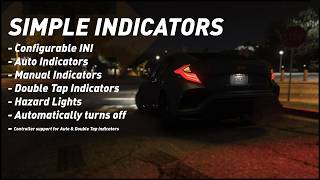
- Configurable by INI.
- Auto Indicators, Works by indicating in the direction of steering after a configurable time when stopped. Good for controller players.
- Double Tap Indicators, Works by indicating when you double tap the steering direction you wish to indicate in, Good for controller players.
- Manual Indicators, Works by indicating when you press a bound key, Ideal for keyboard players. Suggested to disable Double Tap Indicators when in use.
- Hazard lights.
- Indicators turn off automatically when moving away after a few seconds of movement.
- Auto Indicator hold time can be configured.
- Double Tap Indicator activation window can be configured as can the function being restricted to stationary only.
- Manual Indicators can be configured to out right disable the moving away grace time if you wish to have full control.
Requirements:
Installation:
Simply put SimpleIndicators.dll & SimpleIndicators.ini in your scripts folder.
IF YOU WANT TO USE MANUAL INDICATORS / HAZARD LIGHTS, open SimpleIndicators.ini and assign "ManualIndicatorLeftKey", "ManualIndicatorRightKey" & "HazardLightsKey" to a keyboard key of your choice.
Other Information:
If you try to change the indicator using a trainer or different script, they may conflict. To avoid this issue when using a trainer, turn the script controller indicator off first.
The source code can be found here: https://github.com/StarlightDX/simpleindicators
Pertama diunggah: 1 hari yang lalu
Terakhir diperbarui: 3 jam yang lalu
Terakhir Diunduh: 19 menit yang lalu
0 Komentar
Simply does what it says on the box, adds player only simple indicating functions.
Features of the mod:
Requirements:
Installation:
Simply put SimpleIndicators.dll & SimpleIndicators.ini in your scripts folder.
IF YOU WANT TO USE MANUAL INDICATORS / HAZARD LIGHTS, open SimpleIndicators.ini and assign "ManualIndicatorLeftKey", "ManualIndicatorRightKey" & "HazardLightsKey" to a keyboard key of your choice.
Other Information:
If you try to change the indicator using a trainer or different script, they may conflict. To avoid this issue when using a trainer, turn the script controller indicator off first.
The source code can be found here: https://github.com/StarlightDX/simpleindicators
Features of the mod:
- Configurable by INI.
- Auto Indicators, Works by indicating in the direction of steering after a configurable time when stopped. Good for controller players.
- Double Tap Indicators, Works by indicating when you double tap the steering direction you wish to indicate in, Good for controller players.
- Manual Indicators, Works by indicating when you press a bound key, Ideal for keyboard players. Suggested to disable Double Tap Indicators when in use.
- Hazard lights.
- Indicators turn off automatically when moving away after a few seconds of movement.
- Auto Indicator hold time can be configured.
- Double Tap Indicator activation window can be configured as can the function being restricted to stationary only.
- Manual Indicators can be configured to out right disable the moving away grace time if you wish to have full control.
Requirements:
Installation:
Simply put SimpleIndicators.dll & SimpleIndicators.ini in your scripts folder.
IF YOU WANT TO USE MANUAL INDICATORS / HAZARD LIGHTS, open SimpleIndicators.ini and assign "ManualIndicatorLeftKey", "ManualIndicatorRightKey" & "HazardLightsKey" to a keyboard key of your choice.
Other Information:
If you try to change the indicator using a trainer or different script, they may conflict. To avoid this issue when using a trainer, turn the script controller indicator off first.
The source code can be found here: https://github.com/StarlightDX/simpleindicators
Pertama diunggah: 1 hari yang lalu
Terakhir diperbarui: 3 jam yang lalu
Terakhir Diunduh: 19 menit yang lalu
Gabung dalam pembicaraan! Masuk atau daftar akun untuk dapat komentar.
 5mods on Discord
